
What Is a UUID? A Complete Beginner's Guide with Examples
Why Unique Identifiers Matter
Think about how many records a modern application stores every single day. A shopping website keeps track of customers, products, orders, invoices, payments, and reviews. A social media platform stores millions of user profiles, posts, comments, messages, and photos. Even a simple note-taking app creates hundreds or thousands of records over time.
Every one of these records needs a way to be identified uniquely. Imagine ordering a new smartphone online and receiving someone else's package because two orders accidentally shared the same ID. Or picture a banking application confusing two customers because their accounts were assigned identical identifiers. Situations like these would create serious problems for both businesses and users.
That's why every database and application relies on unique identifiers. These identifiers act like digital fingerprints, ensuring that every record can be found, updated, or deleted without affecting anything else.
For many years, developers solved this problem using simple numbers like 1, 2, 3, 4, and so on. While this approach works well for smaller applications, modern software has become much more complex. Applications now run across multiple servers, cloud platforms, mobile devices, and distributed systems where generating sequential numbers isn't always practical.
This is exactly where UUIDs (Universally Unique Identifiers) become incredibly valuable.
What Is a UUID?
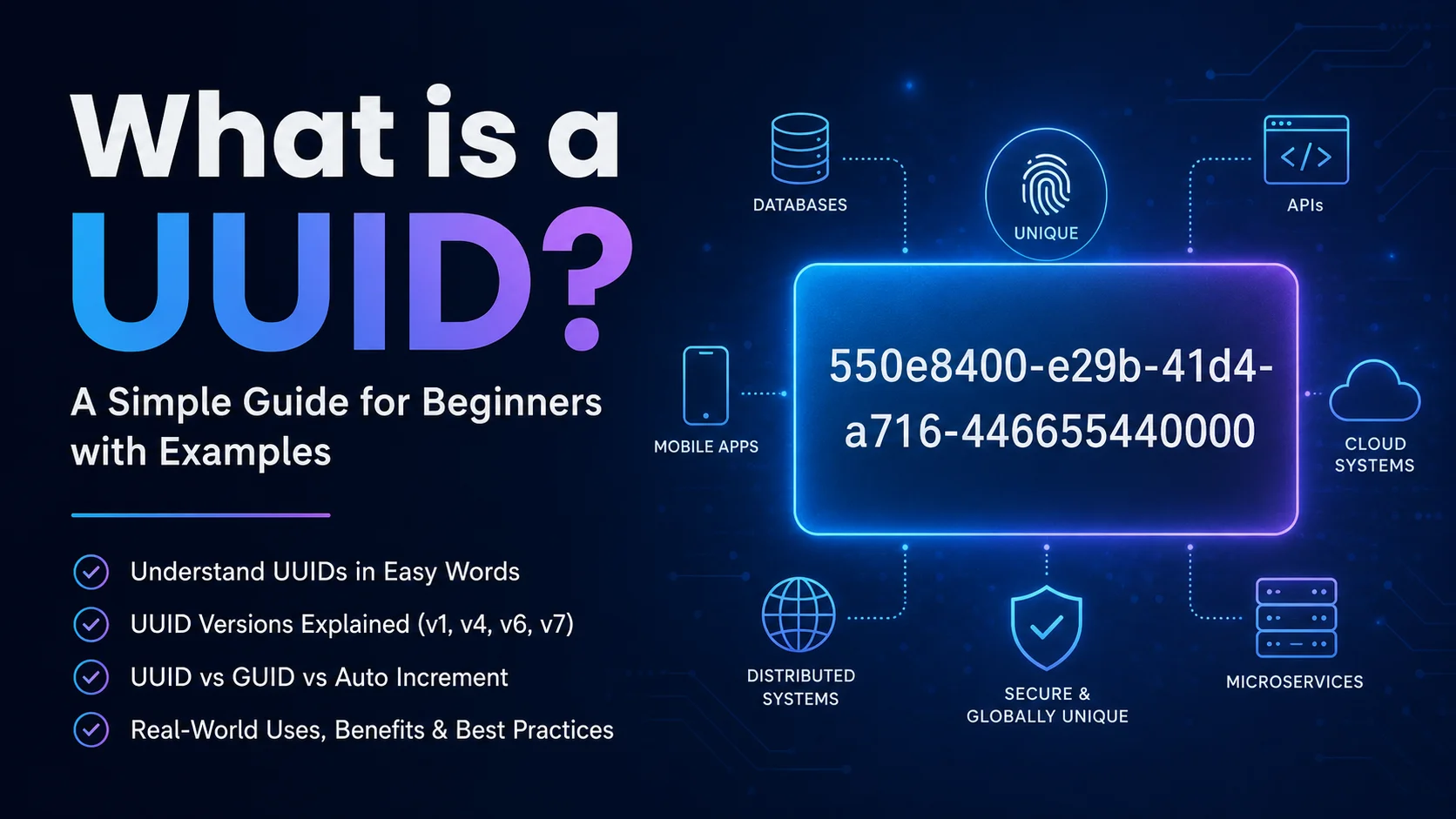
A UUID (Universally Unique Identifier) is a standardized 128-bit value designed to uniquely identify information in computer systems. Unlike traditional numeric IDs that increase one by one, a UUID is generated in such a way that the chance of creating the same identifier twice is so incredibly small that it can be considered practically impossible.
A typical UUID looks like this:
550e8400-e29b-41d4-a716-446655440000At first glance, it may look like a random combination of letters and numbers, but every part of the UUID follows a defined standard. Depending on the UUID version, it may contain timestamps, random values, or other structured information.
The important thing isn't that people can read it—it's that computers can generate and recognize it with extraordinary reliability.
Because UUIDs are standardized, they work consistently across different programming languages, operating systems, databases, APIs, and cloud platforms. Whether your application is built with JavaScript, Python, Java, Go, .NET, PHP, or Rust, UUIDs follow the same format.
Why Was UUID Created?
To understand why UUIDs exist, let's look at a common situation.
Imagine two software companies are developing different parts of the same project. One team works in New York while another team works in London. Both teams store customer information in their own databases.
If both databases use auto-increment IDs, the first customer in each database will receive ID 1. The second customer will receive ID 2, and so on.
Everything works perfectly until both databases need to be merged.
Suddenly, there are two customers with ID 1.
There are also two customers with ID 2.
And two customers with ID 3.
The system no longer knows which record belongs to which customer. Developers now need additional logic to resolve these conflicts, which can become complicated and time-consuming.
Now imagine both systems were using UUIDs instead.
Even if millions of records were created independently on different servers, each record would already have its own globally unique identifier. The databases could be merged without worrying about duplicate IDs.
This ability to generate identifiers independently is one of the biggest reasons UUIDs became so popular.
How UUIDs Solve Real-World Problems
Today's software rarely runs on a single computer. Modern applications are distributed across multiple servers, cloud regions, microservices, and even users' devices.
For example, consider a food delivery application.
- A customer places an order from their phone.
- The restaurant receives the order on its own system.
- A delivery partner uses another application.
- The payment is processed by a separate service.
- The tracking system runs independently.
Each of these services creates new records continuously.
If every service depended on a central server just to generate the next numeric ID, the entire system could slow down or even stop working if that server became unavailable.
UUIDs remove this dependency.
Every service can generate its own unique identifiers locally without asking permission from another system. This makes applications faster, more reliable, and much easier to scale.
A Simple Example
Suppose you're building an online bookstore.
Every new book needs its own identifier.
With auto-increment IDs, your books might look like this:
Book 1
Book 2
Book 3
Book 4
Anyone can easily guess that if Book 4 exists, then Book 5 will probably exist soon. In some situations, exposing predictable IDs isn't ideal because users can attempt to access records that don't belong to them.
Now compare that with UUIDs:
8d8fd9df-40fb-43ea-9ef8-f5b52b24c18f
4dc87d5d-5e89-4c5b-95d7-3dc3e4ab9fb4
f3f96c8c-88d5-4c18-b99b-b24525df11a0
These identifiers are extremely difficult to predict, making them a better choice for many modern applications, especially APIs and public-facing systems.
Of course, UUIDs aren't always the perfect solution. Like every technology, they come with both advantages and trade-offs. In the next section, we'll explore how a UUID is actually structured, what each UUID version means, and which version you should choose for different types of projects.
How Is a UUID Structured?
At first glance, a UUID may look like a random string of numbers and letters. However, it actually follows a well-defined format that is recognized across programming languages, databases, operating systems, and cloud platforms.
A standard UUID contains 128 bits of data and is usually displayed as 32 hexadecimal characters separated by four hyphens into five groups.
550e8400-e29b-41d4-a716-446655440000If we break this UUID into sections, it becomes easier to understand its structure.
550e8400 | e29b | 41d4 | a716 | 446655440000
Each section has a specific purpose depending on the UUID version. Some versions include timestamps, while others contain randomly generated values or information that helps identify the UUID type.
One interesting detail is the first character of the third group. This digit tells you which UUID version generated the identifier.
For example:
- If it starts with 1, it's a UUID v1.
- If it starts with 4, it's a UUID v4.
- If it starts with 6, it's a UUID v6.
- If it starts with 7, it's a UUID v7.
This simple convention allows software libraries to identify the UUID version almost instantly.
Understanding UUID Versions
Not every UUID is created the same way. Over the years, several UUID versions have been introduced, each solving different problems. Choosing the right version depends on what your application needs.
UUID Version 1 (Timestamp-Based)
UUID v1 was one of the earliest versions. It generates identifiers using the current timestamp along with hardware-related information.
Because timestamps are included, every generated UUID follows a chronological order, making it useful for systems where creation time matters.
Advantages
- Chronological ordering.
- Very low collision probability.
- Good for legacy enterprise systems.
Disadvantages
- Can expose creation time.
- May reveal hardware information in some implementations.
- Not the best choice for privacy-sensitive applications.
Today, UUID v1 is still supported but is used less frequently than newer versions.
UUID Version 4 (Random)
UUID v4 is by far the most popular version used today. Instead of relying on timestamps or hardware identifiers, it generates IDs using cryptographically secure random numbers.
This makes every UUID extremely difficult to predict.
For example, when a new user signs up on your website, a UUID v4 can be assigned immediately without asking another server for permission.
Millions of developers choose UUID v4 because it is simple, secure, and supported almost everywhere.
Advantages
- Easy to generate.
- Extremely low collision probability.
- Doesn't expose timestamps.
- Excellent for APIs and web applications.
If you're unsure which UUID version to use, UUID v4 is usually the safest and most recommended choice.
UUID Version 6 (Ordered Time)
UUID v6 was introduced to improve database performance while preserving time ordering.
Traditional UUID v1 values don't always sort efficiently inside modern databases. UUID v6 rearranges timestamp information so that records remain naturally ordered when indexed.
This can improve performance for applications that insert large numbers of records every second.
UUID v6 is becoming increasingly popular for enterprise systems that rely heavily on indexed databases.
UUID Version 7 (Unix Timestamp)
UUID v7 is one of the newest and most exciting UUID formats.
Instead of using the older timestamp format from UUID v1, it uses the familiar Unix timestamp together with secure random values.
This gives developers the best of both worlds.
- Chronological ordering.
- Excellent randomness.
- Better database indexing.
- Improved compatibility with modern systems.
Because of these advantages, many developers believe UUID v7 will gradually become the preferred UUID format for new applications.
UUID vs GUID
One question that frequently appears in programming communities is:
"Are UUID and GUID different?"
The short answer is no.
Both terms describe the same type of globally unique identifier.
The only real difference comes from naming.
- UUID is the official term defined by Internet standards.
- GUID is Microsoft's name for the same concept.
If you're working with .NET or Microsoft SQL Server, you'll often see the word GUID. In JavaScript, Python, Java, Go, Node.js, PostgreSQL, and most web development frameworks, you'll usually encounter the term UUID.
In practice, developers use these names interchangeably because they represent the same underlying identifier format.
UUID vs Auto Increment IDs
Many beginners wonder why developers use long UUIDs instead of simple numbers like 1, 2, 3, and 4.
The answer depends on the type of application you're building.
| Auto Increment ID | UUID |
|---|---|
| Sequential numbers | Random or time-based unique values |
| Easy to guess | Very difficult to predict |
| Requires a central database | Can be generated anywhere |
| Best for small databases | Ideal for distributed systems |
| Smaller storage size | Larger but globally unique |
Imagine two separate stores both creating customer IDs using auto-increment numbers.
Store A creates customer ID 150.
Store B also creates customer ID 150.
When both databases are merged, duplicate IDs immediately become a problem.
With UUIDs, every customer receives a completely unique identifier from the beginning, so merging databases becomes much simpler.
This is one of the biggest reasons companies like Google, Microsoft, Amazon, Shopify, Uber, and countless SaaS platforms rely on UUIDs in different parts of their infrastructure.
In the next section, we'll look at where UUIDs are used in real-world applications, their biggest advantages and limitations, and when you should (or shouldn't) choose them for your own projects.
Where Are UUIDs Used in Real Life?
Even if you've never heard the term UUID before today, you've almost certainly interacted with them. Many of the websites, mobile apps, and online services you use every day rely on UUIDs behind the scenes.
Whenever an application needs to create records independently without worrying about duplicate IDs, UUIDs become an excellent choice. They help developers build systems that are scalable, reliable, and capable of handling millions of users.
Let's look at some common real-world examples.
1. Databases
One of the most common uses of UUIDs is as a primary key in databases.
Instead of assigning customer IDs like this:
Customer 1
Customer 2
Customer 3
Modern applications often generate identifiers like:
9d42d83d-f42d-46fc-9e79-8a18e2b678d1
This allows records to be created safely across multiple servers without creating duplicate IDs.
2. REST APIs
Most modern REST APIs expose identifiers through URLs.
Instead of:
https://example.com/users/15
many applications prefer:
https://example.com/users/9d42d83d-f42d-46fc-9e79-8a18e2b678d1
This makes resource identifiers much harder to predict and reduces the chances of users accessing records simply by changing numbers in the URL.
3. Mobile Applications
Mobile apps often work even when there is no internet connection.
Imagine you're using a note-taking app while travelling on a flight. Every new note still needs a unique identifier, even though the app can't communicate with a server.
UUIDs solve this perfectly because they can be generated locally on the device. Once the internet connection returns, the notes can sync without creating ID conflicts.
4. Microservices
Modern software is increasingly built using microservices, where multiple independent services work together.
For example, an online shopping platform might have separate services for:
- User Accounts
- Products
- Orders
- Payments
- Notifications
Each service can generate UUIDs independently without asking another service for the next available ID.
This improves reliability and removes unnecessary dependencies.
5. Cloud Applications
Cloud providers often run applications across dozens or even hundreds of servers.
If every server needed permission from a central database before creating an ID, performance would suffer.
UUIDs eliminate that bottleneck because every server can safely generate identifiers on its own.
6. Testing and Development
Developers regularly need fake users, orders, invoices, and products while building software.
Instead of manually creating unique IDs, they simply generate UUIDs automatically.
This makes testing much faster and prevents duplicate records during development.
Advantages of Using UUIDs
UUIDs have become an industry standard for a reason. They solve several problems that traditional sequential IDs cannot.
Virtually Unique
The biggest advantage is uniqueness.
The chance of generating the same UUID twice is so incredibly small that most applications never need to worry about collisions.
No Central Server Required
Every computer, server, or mobile device can generate UUIDs independently.
This makes distributed systems much easier to build.
Better Security
Sequential IDs are predictable.
If a customer profile is available at:
/users/105
someone might simply try:
/users/106
With UUIDs, guessing another user's identifier becomes practically impossible.
Although UUIDs should never replace proper authentication and authorization, they do provide an additional layer of obscurity.
Easy Database Merging
Imagine two companies merge into one organization.
Both companies have customer databases.
If they use numeric IDs, conflicts are almost guaranteed.
UUIDs eliminate this issue because every identifier is already globally unique.
Perfect for Distributed Systems
Applications built across multiple servers, cloud regions, or microservices benefit enormously from UUIDs.
Every component can generate IDs independently without slowing down the rest of the system.
Disadvantages of UUIDs
Like every technology, UUIDs also have limitations. Understanding these trade-offs helps developers decide whether UUIDs are the right choice for a particular project.
Longer Than Numeric IDs
A numeric ID such as 125 is much shorter than a full UUID.
This means UUIDs require more storage space and are less convenient to type manually.
Because UUIDs are larger than integers, database indexes also become larger. On extremely large databases, this may slightly affect storage and performance.
Fortunately, modern databases are highly optimized and can handle UUIDs efficiently, especially when using UUID v6 or UUID v7.
Not Human Friendly
It's much easier to remember:
Customer #452than:
550e8400-e29b-41d4-a716-446655440000For this reason, many applications display friendly order numbers to users while internally using UUIDs as the primary identifier.
When Should You Use UUIDs?
UUIDs are an excellent choice in many situations, but they aren't required for every project.
You should consider using UUIDs if your application:
- Uses REST APIs.
- Runs on multiple servers.
- Works offline and syncs later.
- Uses cloud infrastructure.
- Needs globally unique identifiers.
- May merge data from multiple databases.
- Uses microservices.
These are exactly the types of systems where UUIDs provide the greatest value.
In the final part of this guide, we'll look at common mistakes developers make when using UUIDs, best practices to follow, answer frequently asked questions, and wrap everything up with practical recommendations for choosing the right UUID version.
Common Mistakes Developers Make with UUIDs
UUIDs are simple to use, but developers sometimes make mistakes that reduce their effectiveness. Understanding these common issues can help you build applications that are more reliable, secure, and easier to maintain.
Using the Wrong UUID Version
One of the most common mistakes is choosing a UUID version without understanding its purpose.
For example, if your application simply needs randomly generated identifiers, UUID v4 is usually the best option. If you want identifiers that maintain chronological ordering for better database performance, UUID v7 is often a better choice.
Selecting the appropriate version from the beginning can prevent unnecessary changes later in the project.
Generating UUIDs Manually
Some beginners attempt to create their own UUID generator using random strings or custom algorithms.
This is never recommended.
Always use trusted libraries or reliable UUID generators that follow the official RFC specification. This ensures compatibility with databases, frameworks, and programming languages.
Skipping UUID Validation
Applications that accept UUIDs from users or external APIs should always validate them before processing.
Invalid identifiers can cause unexpected errors, failed database queries, or security issues. A built-in UUID Validator can quickly verify whether an identifier is correctly formatted and determine its version.
Exposing Sequential IDs Unnecessarily
Many developers continue using auto-increment IDs in public URLs simply because they're easier to implement.
For example:
example.com/orders/101
example.com/orders/102
example.com/orders/103
These URLs reveal how many records exist and make identifiers easy to guess.
Replacing public identifiers with UUIDs makes resource IDs significantly more difficult to predict.
Best Practices for Using UUIDs
Whether you're building a small web application or a large enterprise platform, following a few best practices will help you get the most from UUIDs.
- Use UUID v4 for most general-purpose applications.
- Choose UUID v7 when chronological ordering improves database performance.
- Generate UUIDs using trusted libraries or standards-compliant generators.
- Validate UUIDs received from APIs or user input before storing them.
- Avoid modifying generated UUID values manually.
- Store UUIDs using your database's native UUID data type whenever possible.
- Keep UUID generation consistent throughout your application.
- Use UUIDs internally even if users see friendly order numbers or invoice numbers.
These practices help create applications that are easier to maintain, scale, and integrate with other systems.
Frequently Asked Questions
-
What is the most commonly used UUID version?
UUID v4 is currently the most widely used version because it generates secure random identifiers and works well for most applications, APIs, and databases.
-
Is UUID better than auto-increment IDs?
Neither approach is universally better. Auto-increment IDs are simple and efficient for smaller databases, while UUIDs are ideal for distributed systems, cloud applications, APIs, and situations where globally unique identifiers are required.
-
Can two UUIDs ever be identical?
Although mathematically possible, the probability is so incredibly small that UUID collisions are considered practically impossible in real-world applications.
-
Can I generate UUIDs without an internet connection?
Yes. Most UUID libraries and browser-based generators work completely offline because UUIDs are generated locally on your device.
-
Should I use UUIDs for every project?
Not necessarily. Smaller applications with a single database often work perfectly with auto-increment IDs. UUIDs become especially valuable when applications grow, use multiple servers, or need globally unique identifiers.
-
Is UUID the same as GUID?
Yes. GUID is Microsoft's name for what is commonly known as a UUID. In practice, both terms refer to the same type of globally unique identifier.
Final Thoughts
UUIDs have become one of the most important building blocks of modern software development. From databases and REST APIs to mobile applications, cloud platforms, and distributed systems, they provide a reliable way to create unique identifiers without depending on a central server. Their flexibility, scalability, and extremely low collision probability make them a preferred choice for millions of developers worldwide.
Understanding the differences between UUID versions is equally important. While UUID v4 remains the most popular option for general-purpose development, newer versions such as UUID v7 are gaining attention because they combine excellent uniqueness with better chronological ordering for modern databases. Choosing the right version depends on your application's architecture, performance requirements, and long-term scalability goals.
If you're working on your own software project, experimenting with APIs, designing a database, or simply learning how unique identifiers work, using a reliable UUID generator can save time and eliminate unnecessary complexity. Instead of writing custom code, you can instantly create standards-compliant UUIDs that are ready to use in your applications.
Need to generate or validate UUIDs? Try the free Kivixa UUID Generator. It supports UUID v1, v4, v6, and v7, bulk generation, UUID validation, multiple export formats, and customizable output options—all running securely inside your browser without uploading any data.
Looking for more free developer tools? Explore Kivixa's JSON Formatter, Base64 Encoder & Decoder, Password Generator, QR Code Generator, and Word Counter to simplify your everyday development and productivity tasks.
Whether you searched for What is a UUID, UUID vs GUID, UUID Generator, UUID v4, UUID v7, or Generate UUID Online, we hope this guide helped you understand how UUIDs work and when to use them. As software continues to evolve toward distributed and cloud-native architectures, UUIDs will remain an essential technology that every developer should understand.