
What is Base64? Encoding vs Decoding Explained with Real Examples
What is Base64?
If you've ever worked with APIs, looked inside a JWT token, opened an email attachment, or copied data from a web application, you've probably come across a long string of seemingly random letters, numbers, and symbols ending with one or two equals signs (=). That string is often Base64 encoded data.
At first glance, Base64 can look like encryption, but it isn't. It's simply a way of representing data using a limited set of readable characters so it can safely travel through systems that were originally designed to handle text instead of binary data.
Think of Base64 as a translator rather than a security feature. Instead of protecting information, it changes the way data is represented. The original information can always be restored by decoding it back to its original form.
Today Base64 is used almost everywhere on the internet. Web browsers, REST APIs, GraphQL services, authentication systems, email clients, cloud platforms, and countless applications rely on Base64 to move data safely between different systems.
Although most people associate Base64 with developers, it's useful for anyone learning web technologies because understanding Base64 helps explain how information moves across the internet.
Why Was Base64 Created?
Years ago, many communication systems could only handle plain text. They weren't designed to transmit images, documents, audio files, or other binary data directly. Sending binary information through these systems often caused files to become corrupted because certain bytes had special meanings or weren't supported at all.
To solve this problem, developers needed a way to convert binary data into ordinary text characters that every system could understand. That's exactly what Base64 does.
Instead of sending raw binary bytes, Base64 converts them into a combination of uppercase letters, lowercase letters, numbers, plus (+), slash (/), and sometimes padding characters (=). Because every system understands these characters, the data can travel safely from one computer to another.
Even though today's internet is much more advanced, Base64 continues to play an important role because many technologies still exchange information using text-based formats like JSON, XML, and email protocols.
What is Base64 Encoding?
Base64 encoding is the process of converting normal text or binary data into Base64 format. The purpose isn't to hide the information—it simply transforms the data into a format that is easier for different systems to exchange.
For example, suppose you have the word:
Hello
After Base64 encoding, it becomes:
SGVsbG8=
The encoded version looks completely different, but nothing has been encrypted. Anyone with a Base64 decoder can instantly convert it back to the original word.
Encoding is commonly used whenever applications need to safely include binary data inside text-based formats. That's why you'll often see Base64 strings inside JSON responses, HTML documents, API requests, configuration files, and authentication tokens.
What is Base64 Decoding?
Decoding is simply the reverse process. It takes an encoded Base64 string and converts it back into its original form.
Continuing the previous example:
SGVsbG8=
After decoding, the original value becomes:
Hello
Nothing is lost during this process because Base64 encoding is completely reversible. As long as the encoded string hasn't been modified or corrupted, decoding will always return the original data.
If you need to quickly convert encoded strings, you can use the Kivixa Base64 Encoder & Decoder. It works entirely inside your browser, supports UTF-8 characters, URL Safe Base64, and lets you encode or decode text instantly without uploading your data anywhere.
How Does Base64 Actually Work?
Although Base64 may look complicated, the idea behind it is surprisingly simple. Computers store information as binary data, which means everything is ultimately represented using zeros and ones. Humans, however, find text much easier to read than binary numbers.
Base64 acts as a bridge between these two worlds. Instead of sending raw binary data, it converts that information into a limited set of 64 printable characters that almost every system can safely process. Those characters include uppercase letters (A–Z), lowercase letters (a–z), numbers (0–9), plus (+), and slash (/). Some encoded strings also end with one or two equals signs (=), which are used as padding.
When data is encoded, its content doesn't change—it is simply represented in a different format. During decoding, the exact same information is restored back to its original form.
One important thing to remember is that Base64 usually increases the size of the original data. In most cases, the encoded output is around 33% larger than the original file or text. That's perfectly normal because the goal of Base64 is compatibility rather than compression.
Is Base64 Encryption?
This is one of the biggest misconceptions about Base64.
No, Base64 is not encryption.
Many beginners assume that because Base64 output looks random, the data has been encrypted. In reality, Base64 provides absolutely no security. Anyone can decode a Base64 string within seconds using a decoder or even a built-in programming function.
Imagine writing a letter in another alphabet instead of your native language. The words may look unfamiliar at first, but anyone who knows that alphabet can read the message immediately. Base64 works in a similar way—it changes how information is represented, not who can access it.
If you're storing passwords, personal information, payment details, or confidential business data, Base64 should never be used as a security solution. Proper encryption algorithms such as AES are designed to protect data, while Base64 is only designed to transport data safely.
Base64 vs Encryption vs Hashing
People often confuse encoding, encryption, and hashing because all three produce strings that look difficult to understand. However, they serve completely different purposes.
Base64 Encoding
Base64 converts data into a text-friendly format. It is completely reversible and does not require a password or secret key. Its primary purpose is compatibility between different systems.
Encryption
Encryption protects information from unauthorized access. The original data can only be recovered using the correct encryption key or password. This is the method used to secure sensitive information like banking details, messages, and personal files.
Hashing
Hashing creates a unique fingerprint of data. Unlike Base64 or encryption, hashing cannot be reversed. Even a tiny change in the original data creates a completely different hash. Websites commonly use hashing to store passwords securely.
In simple terms:
- Base64 changes how data is represented.
- Encryption protects data from unauthorized access.
- Hashing verifies data integrity and securely stores passwords.
Where is Base64 Used?
Even if you've never intentionally used Base64, you've probably benefited from it many times. Modern software relies on Base64 in countless situations where binary information needs to travel through text-based systems.
Some of the most common real-world uses include:
- Sending email attachments using MIME.
- Encoding images inside HTML and CSS using Data URLs.
- JWT (JSON Web Tokens) used for user authentication.
- REST and GraphQL API requests and responses.
- Embedding binary files inside JSON documents.
- Cloud storage services that exchange files through APIs.
- Configuration files and environment variables.
- Basic Authentication headers in HTTP requests.
For developers, Base64 becomes part of everyday work. It helps move information between applications without worrying about unsupported characters or corrupted binary data. Even if the user never sees it, Base64 is quietly working behind the scenes in many websites and apps they use every day.
Who Uses Base64?
Base64 isn't limited to software engineers. While developers use it the most, many other professionals work with Base64 regularly without even realizing it.
- Web Developers encode images, JSON data, API payloads, and authentication tokens.
- Backend Developers exchange binary data between servers and applications.
- Cybersecurity Professionals inspect encoded payloads during security testing.
- QA Engineers verify API responses and encoded values during application testing.
- Students learn how information travels across networks and web services.
- System Administrators work with encoded configuration files, certificates, and authentication headers.
Whether you're learning programming or building production applications, understanding Base64 makes it much easier to understand how modern web technologies communicate with one another.
Advantages of Base64 Encoding
Base64 has remained a standard for decades because it solves a very specific problem extremely well. It doesn't make data smaller or more secure, but it makes data much easier to exchange between different systems.
Whether you're sending an email attachment, embedding an image inside a web page, or transferring binary information through an API, Base64 helps ensure that the original data reaches its destination without being corrupted.
1. Excellent Compatibility
One of Base64's biggest strengths is compatibility. Almost every programming language, operating system, browser, and server supports Base64 encoding and decoding out of the box. Developers don't need to install additional libraries just to work with encoded data.
2. Safe Data Transfer
Some communication protocols were originally designed to work only with plain text. Binary files could become damaged when transmitted through those systems. Base64 converts binary information into readable text, allowing files to travel safely without unexpected character issues.
3. Works Across Different Platforms
Whether you're building applications with JavaScript, Python, PHP, Java, C#, Go, or almost any other programming language, Base64 behaves the same way. That consistency makes it one of the easiest data formats to exchange between different technologies.
4. Easy to Implement
Most programming languages include built-in Base64 functions, making encoding and decoding only a few lines of code. This simplicity is one reason Base64 has remained so popular among developers.
Limitations of Base64
Although Base64 is extremely useful, it isn't the right solution for every situation. Understanding its limitations is just as important as understanding its advantages.
Base64 Increases File Size
One of the biggest drawbacks is that Base64 makes data larger. In most cases, the encoded version is approximately 33% bigger than the original. If you're working with very large files, this extra size can increase bandwidth usage and storage requirements.
It Doesn't Protect Your Data
Many beginners mistakenly believe Base64 hides information because the output looks unreadable. In reality, anyone can decode Base64 within seconds. If your goal is security, encryption—not Base64—is the correct solution.
Not Suitable for Large Files
Encoding very large images, videos, or documents into Base64 can consume additional memory and processing power. In many cases, storing the original file and sharing its URL is a more efficient approach than embedding everything as Base64.
Common Examples of Base64
You may be surprised by how often Base64 appears in everyday technology. Here are a few examples you might encounter.
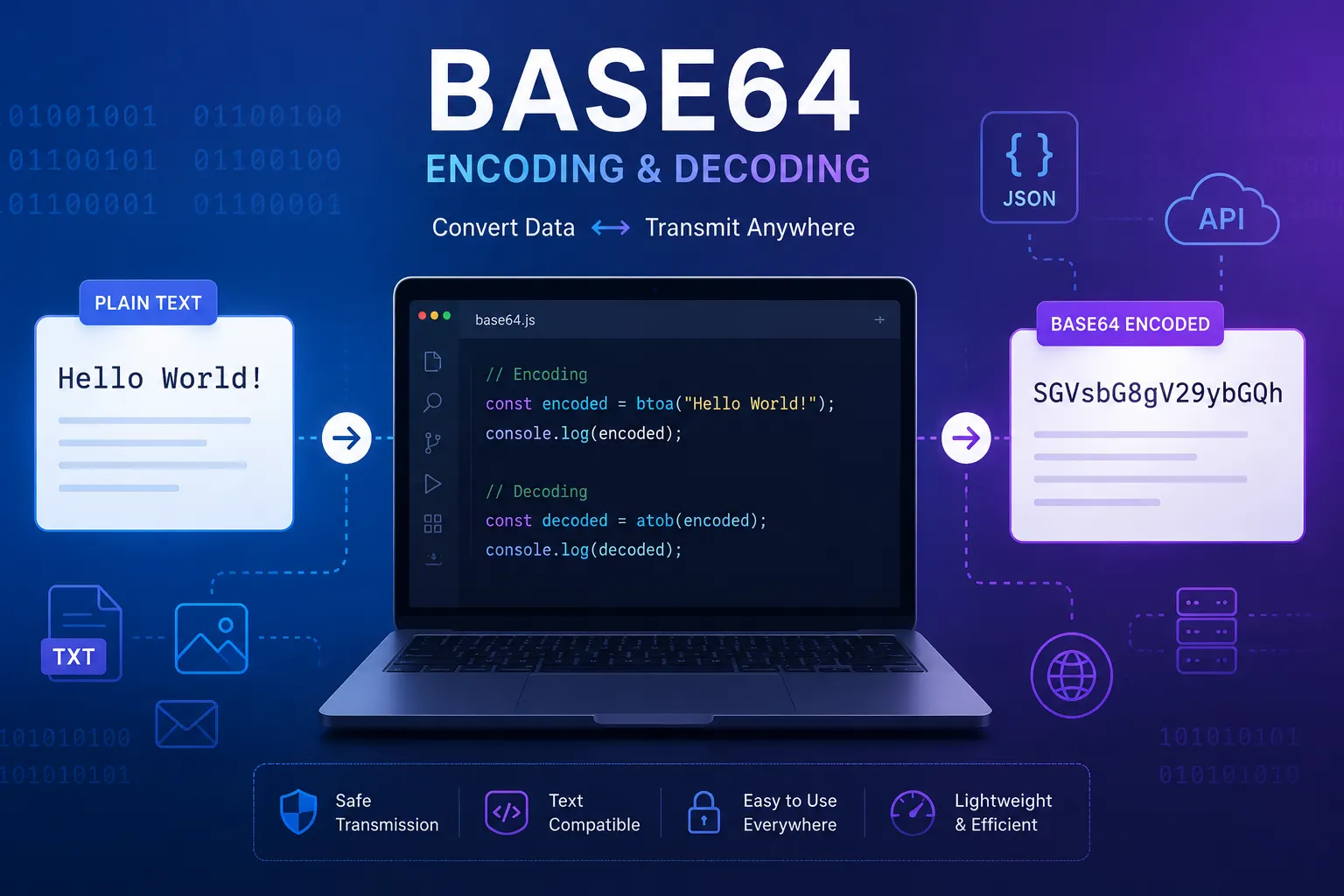
Example 1: Simple Text
Original:
Hello World

Encoded:
SGVsbG8gV29ybGQ=
Example 2: JSON Data
{
  "name": "John",
  "role": "Developer"
}
Many APIs encode JSON before transmitting it between services.
Example 3: Images
Small website icons are sometimes embedded directly into HTML or CSS using Base64 Data URLs instead of loading a separate image file.
data:image/png;base64,iVBORw0KGgoAAAANSUhEUg...
This technique reduces additional HTTP requests for very small assets, although it shouldn't be overused for larger images.
When Should You Use Base64?
Base64 is a great choice whenever you need to safely represent binary information as text.
You should consider using Base64 when:
- Sending binary data through JSON or XML.
- Working with REST or GraphQL APIs.
- Embedding small images using Data URLs.
- Inspecting JWT tokens during development.
- Handling email attachments.
- Moving binary data through text-only systems.
However, Base64 should not be used to secure passwords, encrypt confidential information, or replace proper authentication methods.
Encode vs Decode: What's the Difference?
People often use the terms "encode" and "decode" interchangeably, but they describe two opposite operations.
- Encoding converts readable text or binary data into Base64 format.
- Decoding converts a Base64 string back into its original content.
If you're generating data to send through an API or email system, you'll usually encode it first. If you're receiving an encoded value from another application, you'll decode it to view the original information.
With the Kivixa Base64 Encoder & Decoder, you can perform both operations instantly. Simply paste your content, choose whether you want to encode or decode it, and the converted result appears immediately. Since everything runs locally in your browser, your data never leaves your device.
Common Myths About Base64
Because Base64 is so widely used, there are also many misunderstandings about what it actually does. Beginners often assume it's a security feature simply because the encoded text looks unreadable. In reality, Base64 is much simpler than that.
Myth 1: Base64 Encrypts Data
This is by far the most common misconception.
Base64 does not encrypt anything. It simply converts data into another format that can easily be transmitted as text. Anyone with a Base64 decoder can restore the original information in seconds. If you need to protect sensitive information such as passwords, payment details, or personal data, you should use proper encryption instead.
Myth 2: Base64 Compresses Files
Many people assume encoding makes files smaller. The opposite is true. Base64 encoding increases the size of data by roughly one-third because additional characters are needed to represent the original binary information.
If reducing file size is your goal, compression methods like ZIP or GZIP are much more appropriate.
Myth 3: Base64 is Only for Developers
Although developers use Base64 every day, it's not limited to programming. Students learning networking, cybersecurity enthusiasts, QA engineers, system administrators, and even curious internet users often need to encode or decode Base64 strings to understand how applications exchange information.
Tips for Working with Base64
Working with Base64 is straightforward, but a few simple practices can help you avoid common mistakes.
- Always remember that Base64 is encoding—not encryption.
- Use UTF-8 compatible tools if your text contains emojis or non-English characters.
- Validate Base64 strings before decoding them to avoid errors caused by invalid characters or incorrect padding.
- Don't use Base64 for very large files unless absolutely necessary because it increases data size.
- Use URL Safe Base64 when working with JWT tokens and modern web APIs.
- Always decode Base64 data from trusted sources to reduce the risk of processing unexpected content.
Frequently Asked Questions About Base64
Can Base64 encode images?
Yes. Images, PDFs, documents, audio files, and other binary files can all be represented as Base64 strings. This is commonly used for small images embedded directly into HTML or CSS using Data URLs.
Can Base64 encode Unicode characters?
Yes. Modern Base64 tools that support UTF-8 can correctly encode and decode Unicode text, emojis, and characters from different languages without losing information.
Why do some Base64 strings end with "="?
The equals sign (=) is used as padding. It helps ensure the encoded output has the correct length. Depending on the original data size, an encoded string may end with one "=" character, two "=" characters, or no padding at all.
Can I decode Base64 manually?
While it's technically possible, it's not practical for anything beyond learning purposes. Using a reliable Base64 decoder is much faster and eliminates the chance of making mistakes.
Final Thoughts
Base64 is one of those technologies that quietly powers countless applications on the internet. Although most users never notice it, developers rely on it every day to exchange data safely between browsers, servers, APIs, authentication systems, and countless other services.
The most important thing to remember is that Base64 is an encoding standard, not a security mechanism. Its purpose is to represent binary information as text so different systems can communicate more reliably. It doesn't encrypt data, compress files, or protect sensitive information.
If you need to quickly encode text to Base64 or decode Base64 back into readable text, try the Kivixa Base64 Encoder & Decoder. It supports UTF-8 characters, URL Safe Base64, text file uploads, one-click copy, and instant browser-based conversion—all while keeping your data completely private because nothing is uploaded to a server.
Whether you're a developer debugging APIs, a student learning how the web works, or simply curious about Base64, understanding this simple encoding standard will help you better understand how modern applications exchange information every day.